
When you get input from users, read files, or scrape data, you’ll often end up with unwanted spaces at the start or end. strip() removes them.phrase = " Hello, World! "
print(phrase.strip()) # Output: 'Hello, World!'
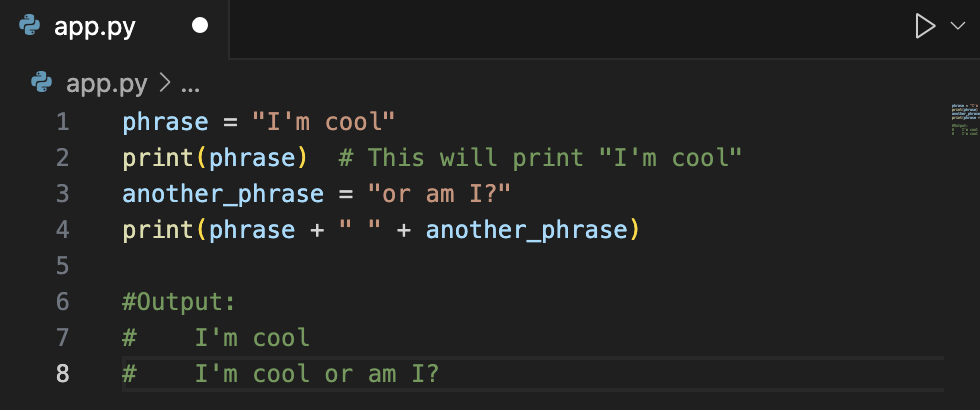
11. Using Variables in Strings
You can store text in variables and join them together:phrase = "I'm cool"
print(phrase) # This will print: I'm cool
another_phrase = "or am I?"
print(phrase + " " + another_phrase) # This will print: I'm cool or am I?
12. Count Characters with len()
Use len() to count how many characters are in a string:print(len(phrase)) # This will print: 8
13. Numbers in Strings
When you use numbers with text, convert the number to a string with str():number = 5
print("The number is " + str(number)) # This will print: The number is 5
14. Absolute Value
Use abs() to get the absolute value of a number — positive, no matter what:negative_number = -10
print(abs(negative_number)) # This will print: 10
Quick Real-World Cases
- Clean up user input with
.strip():
When you get a name or email from a form, people often type extra spaces by mistake.strip()makes sure you store just the real text, not" Alice ". - Join text smoothly with variables:
Need to show a user message like “I’m cool or am I?”? Or build custom error messages? You’ll combine variables and strings all the time in logs, pop-ups, or chat apps. - Check string length:
When people create passwords, you’ll checklen(password)to make sure it’s long enough — e.g. “Password must be at least 8 characters.” - Combine numbers and text safely:
Whenever you print totals — “Your cart has 5 items.” — you need to turn numbers into strings to merge them into readable messages. - Get absolute numbers:
If you write a finance or data app, you might calculate profit/loss differences.abs()ensures -$50 shows as 50 if you only care about the distance between two numbers.
See the next post.
Check here for practices.